How Rides Team users consent to SMS
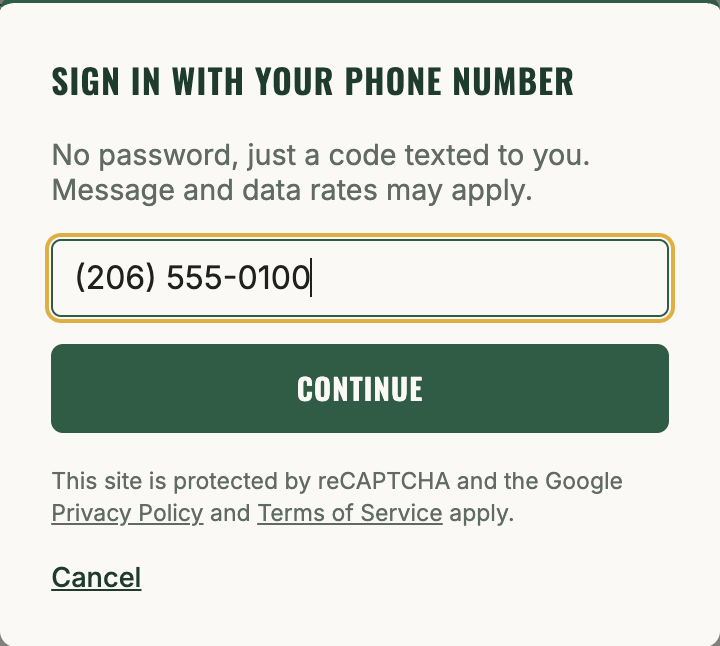
Step 1: sign in with a phone number
Rides Team has no passwords or app download. To sign in, a user enters their phone number and Firebase Authentication texts them a one-time verification code, proving they own that number before any account is created or SMS consent is requested.
Step 2: explicit SMS opt-in
The first time a signed-in user is about to take an action that could result in a text (creating a team, offering a ride, claiming a seat, or requesting one), they see this screen. Consent starts unchecked; choosing "No thanks" is an equally visible option and does not block use of Rides Team.
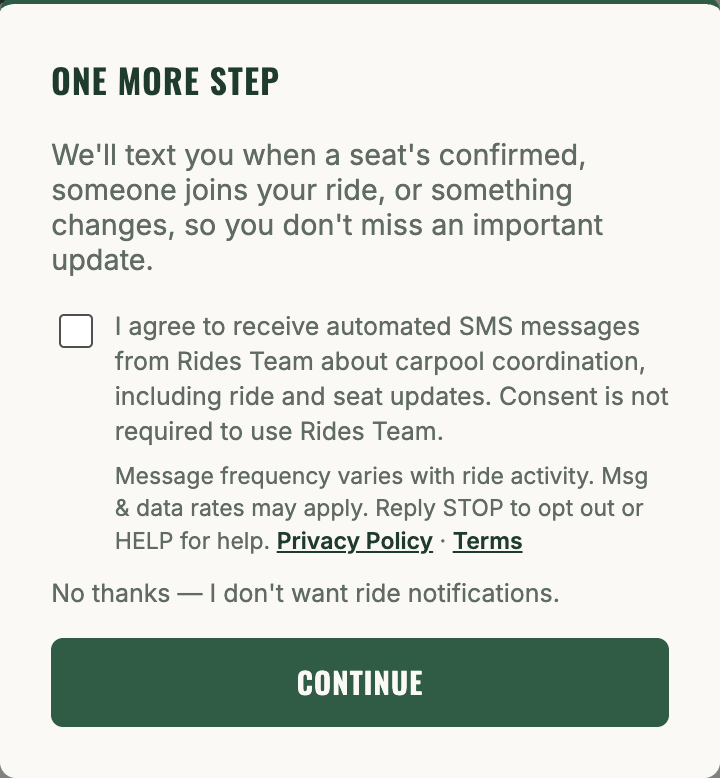
The exact consent language shown in that screenshot:
I agree to receive automated SMS messages from Rides Team about carpool coordination, including ride and seat updates. Consent is not required to use Rides Team.
Message frequency varies with ride activity. Msg & data rates may apply. Reply STOP to opt out or HELP for help. Privacy Policy · Terms